Three of the leading AI chatbots, including ChatGPT, were given the same background and asked to create a resume. A recruiter reviewed the results blind. HowToGeek published the experiment, and the obvious conclusion was that AI-written resumes still fall short.
That conclusion skips the most important detail.
The LLMs were used almost raw: no target job, little context, no real prompting, and no guidance about which parts of the candidate’s history mattered most.
So the experiment did not really answer, “Can AI write a strong resume?”
It answered, “Can a general chatbot take a pile of background information and one-shot a strong resume without much direction?”
That is a very different test.
The more useful question is what happens when the model gets the context, instructions, and checks it needs.
What the AI got right
Even the raw drafts handled the basics well.
The chatbots produced clean structure, sensible section order, readable bullets, and polished language quickly. They also cleaned up common mechanical problems such as inconsistent tense, dense paragraphs, vague headings, awkward phrasing, and typos.
They are especially good at fluency. Ask for a tighter bullet and you will usually get one. Ask for a summary and you will get something polished.
That is also where people get fooled.
A resume can sound finished while still being strategically weak.
Why the raw drafts fell short
The recruiter caught problems that mostly came down to missing context.
A general chatbot looking at your work history does not know which accomplishments matter most unless you tell it. Without that direction, it tends to give similar weight to everything.
It also cannot know the result of your work if you never provide it.
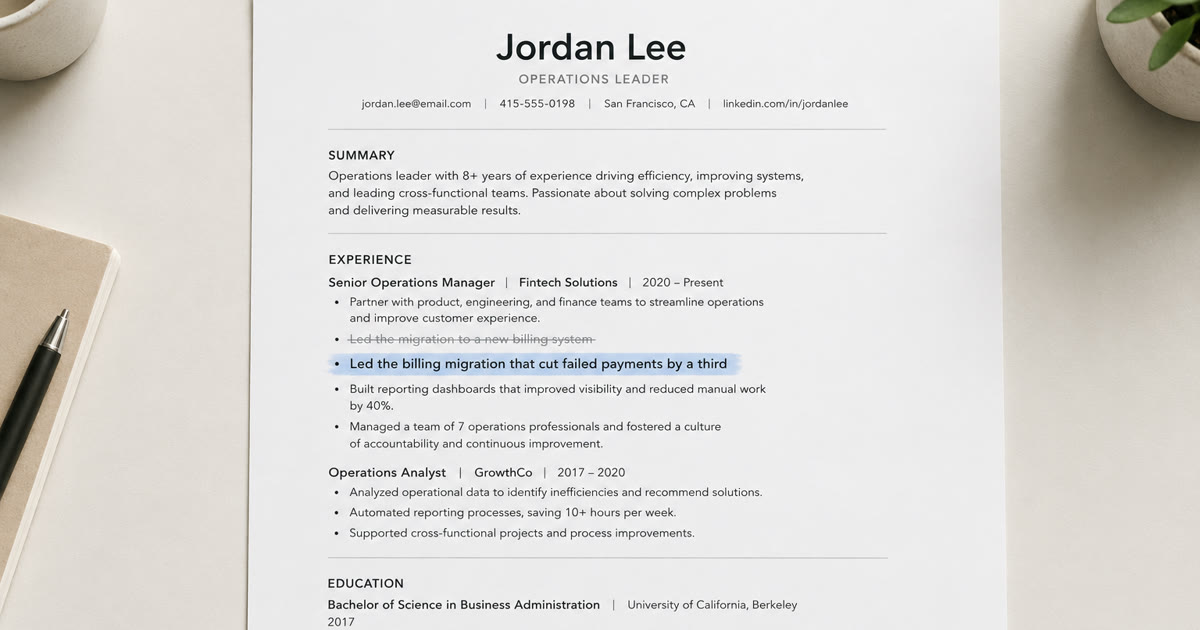
If you tell it that you led a billing migration, it can make the sentence cleaner. It cannot know whether that migration reduced payment failures, shortened processing time, improved retention, or simply shipped on schedule.
The same problem shows up with relevance. Without instructions about what matters for the target role, the model may keep older experience, generic skills, or low-value bullets that should have been cut.
And without the actual job description, it is writing for a generic version of your profession rather than the job you want. That also means it misses the specific keywords the role calls for, the same terms an applicant tracking system (ATS) scans for when it screens applications, so a raw draft can read as off-target to both the software and the human.
Those are setup problems. Give the model better inputs and clearer instructions, and the output changes.
How to actually make a chatbot useful
If you want to build your resume with a general chatbot, do more than say, “Write my resume.”
- Feed it the evidence. For each role, provide the outcomes you actually know. What changed? What did you own? What was the scale? Which metrics can you support? Never ask the model to invent numbers.
- Give it the target job. Paste the job description and ask it to prioritize experience that supports the responsibilities and qualifications in that specific role. Tailoring to the posting also aligns your wording with the keywords the job (and the applicant tracking system screening it) is looking for, which helps your resume surface in that first pass.
- Tell it what to cut. Ask which bullets, skills, and older experience add little value for the target job. Make it explain why each item should stay or go.
- Make it surface the judgment. For important bullets, ask what problem was being solved, what decision or contribution was yours, and why the work mattered. Then rewrite the bullet around that.
- Challenge generic language. If a bullet could belong to anyone with the same job title, ask what evidence or context would make it specific.
- Iterate. Review the draft, correct weak assumptions, add missing context, and run another pass. Strong resume work usually takes several rounds.
With that setup, a general LLM can produce a strong resume.
The HowToGeek experiment did not test that workflow.
It tested what happens when the model gets very little help.
So why not just do that?
You can.
But now you are doing more than writing a prompt.
You are deciding what context matters, figuring out what to cut, testing each bullet for impact, comparing the resume against the job description, catching weak assumptions, and repeating the process for every role you target.
The chatbot handles the writing. You still have to build and run the process around it.
That is where a purpose-built resume tool becomes useful.
Instead of rebuilding the same prompting and review process for every application, the workflow can be built into the product: what information to gather, what to question, what to cut, what to strengthen, and how to tailor the resume to the job.
That process can also be maintained as the underlying models change, rather than leaving you to keep adjusting your own prompts.
Where to start
Start by finding the weaknesses in the resume you already have.
The free Resumes Coach Score (RCS) reviews your resume for both what a recruiter reads for and how well it holds up in the applicant tracking systems (ATS) that screen applications, and surfaces the areas that need attention: bullets that lack clear impact, content that reads generically, keywords missing for the target role, and sections that need stronger focus.
That gives you a concrete starting point instead of another blank prompt.
From there, Resumes Coach includes the broader toolset for fixing what the score finds, including tailoring your resume to a specific job and guided rewrites for weaker bullets and sections.
The lesson from the chatbot experiment is not that AI cannot write a good resume.
It is that the quality of the output depends heavily on the process around the model.
Run your free Resumes Coach Score first. See what is weakening the resume, then use the tailoring and rewrite tools to fix it.